Incremental rescanning
Unchanged scan state can be reused, while changed folders are rescanned. Untrusted saved state falls back to a full walk.
Search that follows your view
Find navigation resets when the query or view changes and reveals matches inside collapsed folder trees.
Complete duplicate review
All Sizes includes smaller unverified same-size groups, keeping them distinct from SHA-256-verified copies.
Safer Trash review
Cleanup review reports candidates that disappeared before confirmation instead of presenting them as actionable.
More reliable hash cache
Byte limits evict enough old entries, and persistence recreates a cache file removed outside the app.
Validated release
The final local audit passed 251 tests across 26 suites, with a separate synthetic duplicate-verification proof.
Features
Everything you need to reclaim disk space
A macOS disk space analyzer, storage cleaner, and duplicate file finder in one sandboxed app.
macOS disk space analyzer
Rank largest folders, old large files, file types, installers, archives, disk images, caches, and build artifacts.
Mac storage cleaner planning
Separate verified duplicate reclaim, review-suggested cleanup, and access gaps before anything moves to Trash.
Duplicate file review
Start from same-size candidates, verify matches with SHA-256, and keep hashing work bounded to what you need.
Parallel, performant scans
Recurses sibling directories concurrently and scales hash verification with available cores, with deterministic child order.
Keeper comparison
Side-by-side sheet lets you reassign the keeper of a verified duplicate group with size, date, and path at a glance.
Transactional Trash
Batch moves go to Trash via macOS APIs and roll back earlier moves if a later one fails — never silent permanent deletion.
How it works
Three steps to a cleaner Mac
Grant folders
Pick folders through macOS folder selection or persist access with security-scoped bookmarks. Nothing is uploaded.
Scan and review
See ranked storage pressure, file types, and verified duplicates with a keeper per group, then mark cleanup candidates.
Send to Trash
Confirm a batched, transactional move to Trash that rolls back on partial failure. You stay in control of every change.
In the app
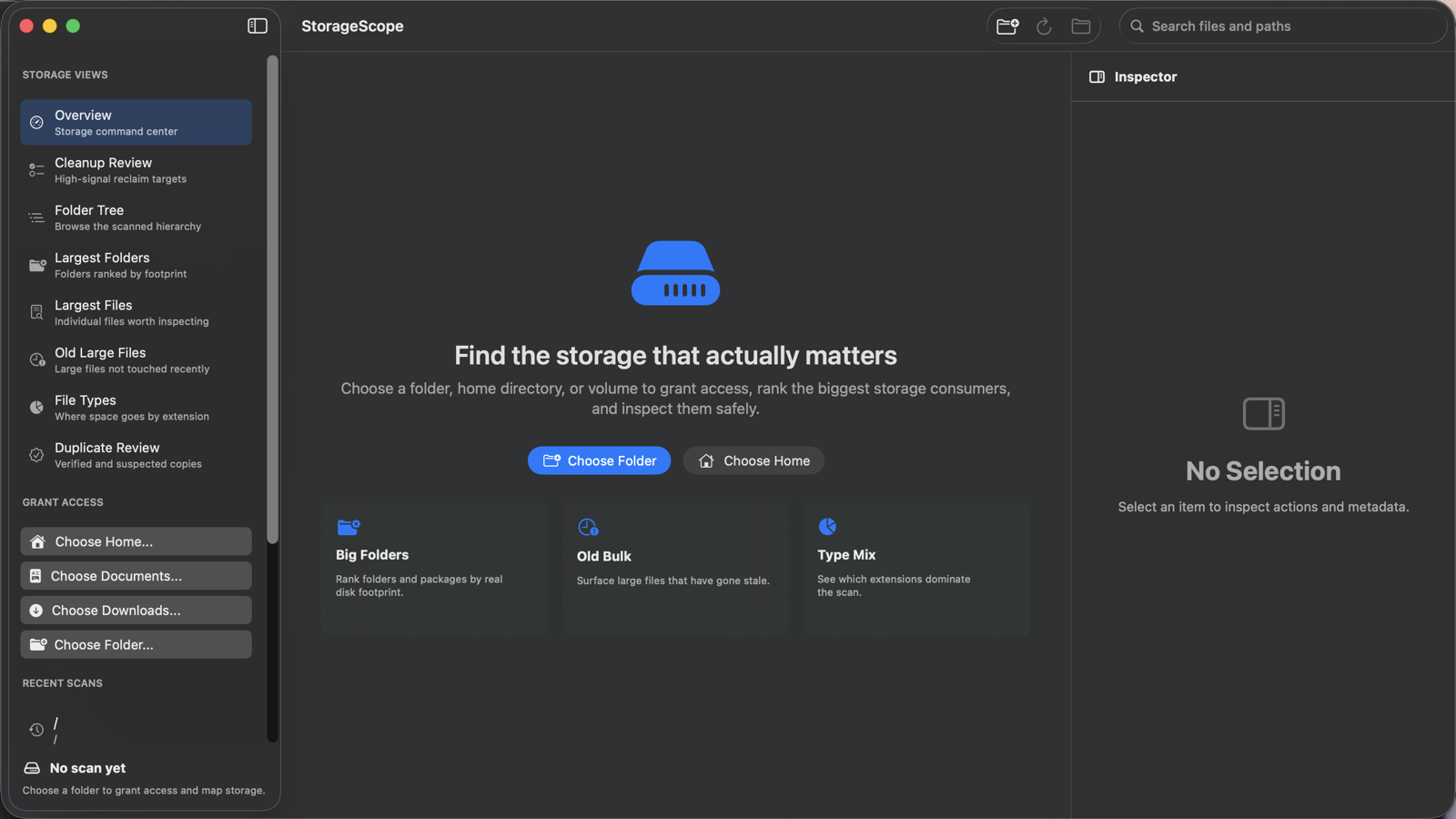
The whole picture, one window
Ranked storage views, cleanup review, folder tree, and inspector — the same scan, four ways to read it. This v0.7.1 screenshot is a reference for the established interface.
Nothing leaves this Mac
StorageScope never sends scan data off your machine. It is sandboxed, MIT licensed, and small enough to read every line.
- No uploads of scan results, file names, paths, or hashes
- No analytics, identifiers, or telemetry in the binary
- Sandboxed with security-scoped bookmarks for folder access
- Cleanup uses macOS Trash, not silent permanent deletion