Your work, brought together.
Explore local sessions across supported agent tools. Compare activity, models, token usage, and API-equivalent estimates with coverage kept visible.
See supported source formats ↗ OpenEvalOPEN SOURCE
YOUR AGENTS. YOUR EVIDENCE.
Turn local conversations into insights. Run repeatable evaluations. Follow every result back to the work behind it.
Free & open source · Runs on your machine · No account to inspect transcripts
A RESULT IS JUST THE BEGINNING
Inspect a run. Then look at the evidence.
24 of 40 example attempts passed. Same illustrative case cohort.
Interactive illustration, not a benchmark result. Hover or focus to inspect; click or Enter to pin. Escape clears the pin.
| Run | Passed | Median duration | Tokens |
|---|---|---|---|
| Baseline | 24/40 | 48 s | 120,000 |
| Prompt revision | 30/40 | 41 s | 110,000 |
| Tool revision | 34/40 | 36 s | 98,000 |
FROM ACTIVITY TO UNDERSTANDING
Start with the overview. Keep going until the result makes sense.
Explore local sessions across supported agent tools. Compare activity, models, token usage, and API-equivalent estimates with coverage kept visible.
See supported source formats ↗Move from a chart to matching sessions, then to the conversation. Search beyond the loaded page, expand tool results, and inspect recorded reasoning separately.
Read the transcript contract ↗Run the same cases with different agents or settings. Compare outcomes, review graders, and keep saved experiment snapshots with explicit evidence boundaries.
How grading works ↗REAL APP CAPTURES
Real snapshots from a local OpenEval installation, reviewed before sharing. Open either image to inspect it at full resolution.
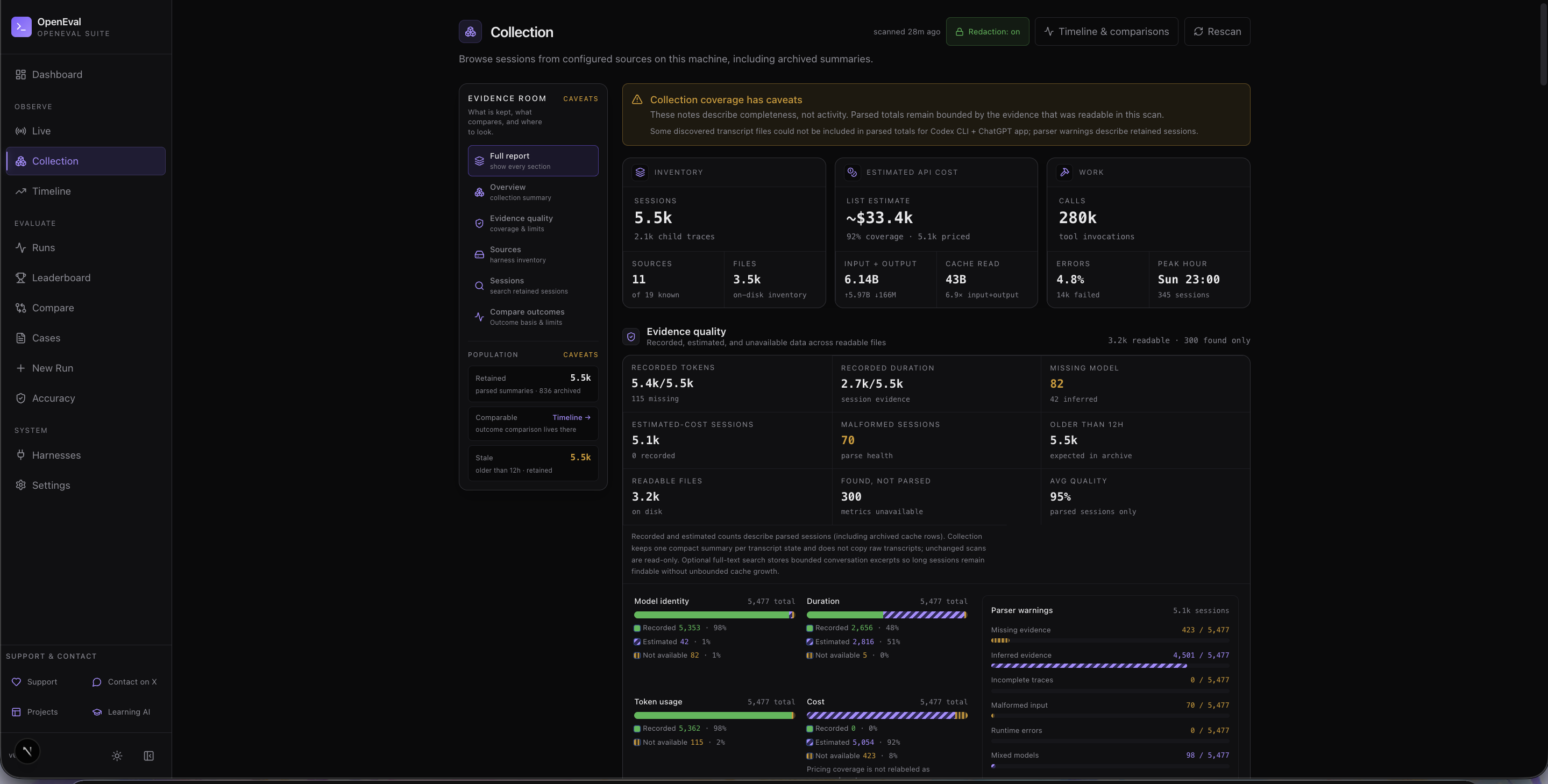 Explore the Collection capture ↗
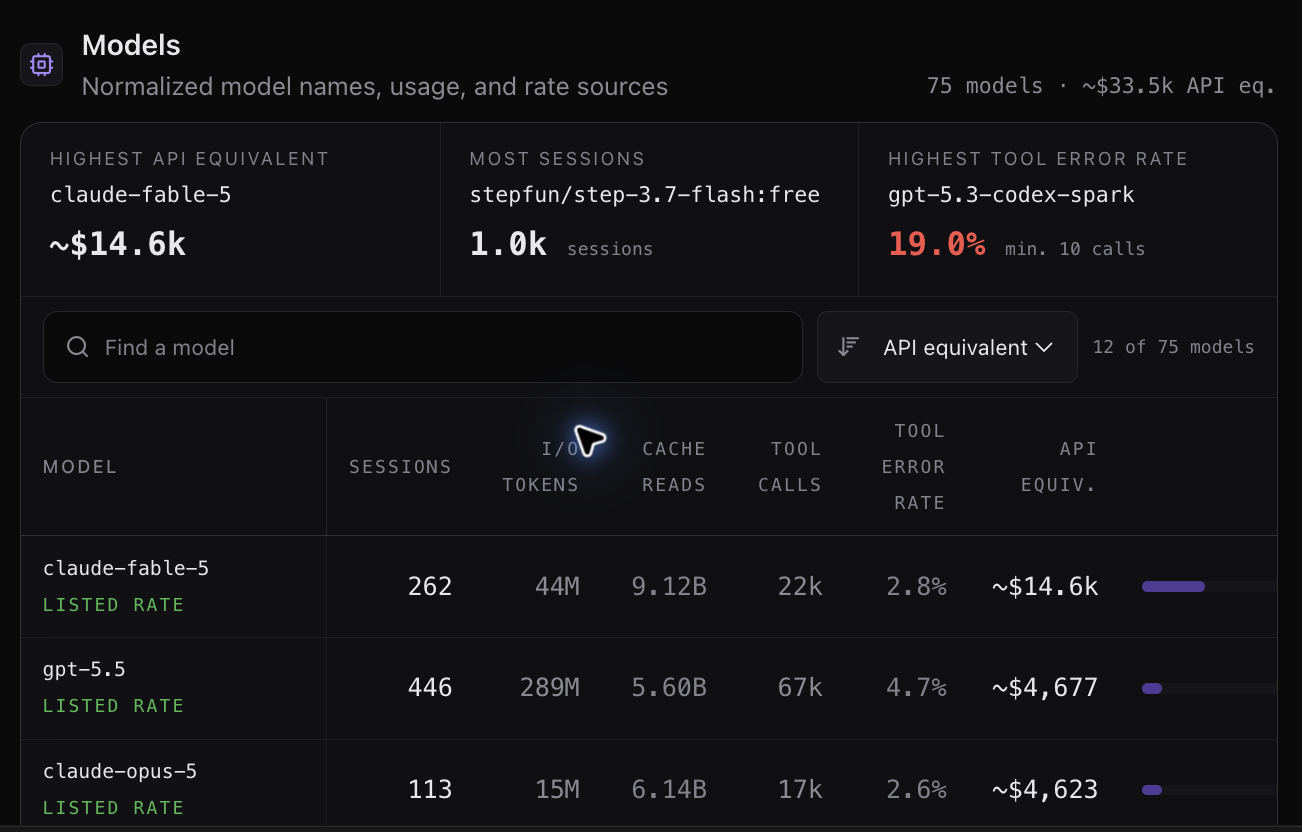 Explore the Models capture ↗
Capture-time snapshots, not live totals or benchmark results. API-equivalent cost is an estimate, not an invoice or subscription usage. These images are separate from the illustrative interactive tour.
WATCH THE WORK TAKE SHAPE
Route planners, interactive data stories, marble physics, firefly gardens, and rhythm games. OpenEval’s Playground lets you explore reference demos and set up the matching evaluation.
How these cases are evaluated ↗Real reference solution from the case library. It runs only after you press Play, in an isolated frame. This is not an agent’s evaluated output.
UP AND RUNNING
Install Node 22 with npm 10, then run these commands. Setup installs locked dependencies, checks SQLite, and builds the dashboard.
http://127.0.0.1:3000.The first build can take several minutes. No API key is needed for transcript inspection. Launching evaluations requires an authenticated agent CLI and may use paid inference.
Full setup & troubleshooting guide ↗git clone --branch v0.2.0 --depth 1 https://github.com/RasputinKaiser/OpenEval.git
cd OpenEval
npm run setup
npm run openmacOS setup verified · Linux CI verified · Windows native setup unverified
BUILD WITH US
This is the public project website. OpenEval runs locally with a Node server and SQLite. Install it to inspect your own conversations and launch evaluations. This website never reads your local transcripts.
Collection readers and evaluation runners have different coverage. Claude Code, Codex, ncode, and additional sources have documented support. Kimi, DeepSeek, ZCode/OpenCode, and Grok exports have explicit format and field limits. Check the source coverage table; a provider name alone does not establish a transcript format.
No. Recorded cost, estimated API-equivalent cost, and unavailable cost remain distinct. Transcript token counts cannot establish subscription usage percentages.
In the local app, open Settings → OpenEval updates. Check the latest release and follow the instructions. Stop the server and running evaluations before installing, preserve local edits, and back up your data. Automatic replacement of a running server is not included.
Read the contribution guide, open a discussion, or file an issue. For vulnerabilities involving private data, use a private security report.